The TikTok bicep heart pose · animated from one photo
Bicep Heart AI: turn one photo into a bicep heart video
Bicep Heart AI turns one waist-up photo of you into a short video of the bicep heart pose: you flex one arm with the fist beside your head, your other hand curls against the top of that bicep, and the gap between them reads as a small heart. No filming, no second photo, no prompt. You get a vertical 9:16 MP4 with no watermark, and the credit cost is on the button before anything is charged.
The trend vs. our AI version
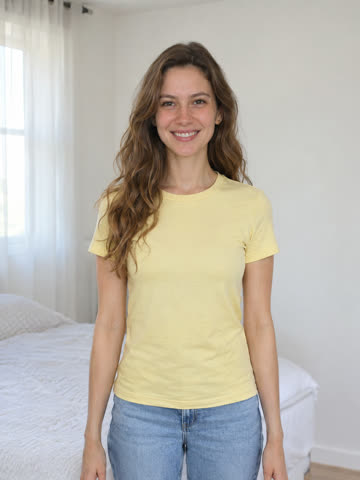
Same pose, same sound · Made from one photo · About 7 s, 9:16
Add one waist-up photo of you
One clear photo of one adult is all it needs: face visible, both arms and hands in the frame. You do not need to be flexing in it. Accepted: JPG, PNG, WebP · max 10 MB · min 300 × 300 px.
- Waist-up, facing the camera
- Both arms and hands in frame
- Just one person
- Short sleeves or bare arms
6 credits · about 7 s · 9:16 MP4 · original sound · Compare packs
The number on the button is the full cost of this render. There is no free preview, and a failed render returns its credits.
What is Bicep Heart AI?
Bicep Heart AI is an independent web tool at bicepheart-ai.video that makes a bicep heart trend video from one photo. The bicep heart is a one-person pose: one arm flexes with the fist beside the head, and the other hand curls against the top of that bicep, thumb pointing down, so the space between hand and arm forms a small heart. It is not the two-arm heart above the head. You upload a waist-up photo, the AI animates you from a relaxed stance into the flex and the heart, and you download a vertical MP4 of about 7 seconds. Rendering is paid with credits, the cost is shown before you start, and no subscription is required.
How to make a bicep heart AI video from one photo
From a photo on your phone to a finished bicep heart clip, in the browser, with no app and no editing.
Upload one waist-up photo
One adult, face visible, both arms and hands inside the frame, with some room above the shoulders. Short sleeves or bare arms work best. You do not need to be flexing in the photo.
Pick a resolution and render
Choose 480p or 720p and check the credit cost on the button. The AI animates the flex, the reach of your other hand and the closing heart.
Check the whole clip, then post
Play it through and look at the fingers, the elbow and the heart gap before you save the MP4. It keeps the trend's original sound unless you picked Silent. Label the post as AI-generated.
Four ways to do the bicep heart trend
An AI tool is one option, not the only one. Here is what each route actually gives you.
Pick a photo that shows both arms
The AI can only animate what it can see. The photo matters more than any setting. Full guide: the bicep heart photo guide.
More about the bicep heart trend
The pose explained, real examples, tools compared, the song, ideas and every common question.
Bicep heart trend explained
The exact pose, how to do it in four moves, small biceps, and the sound people use.
How to make a bicep heart AI video
Five steps from one photo to a finished clip, plus what to check and how to fix failures.
Bicep heart photo guide
Framing, arms, sleeves, light and consent: the photo checklist before you upload.
Bicep heart AI examples
Two real renders next to the photos they came from, with timings and the flaws we found.
Bicep heart AI apps compared
14 tools and sites side by side: what each makes, the sound and the price.
Can ChatGPT make a bicep heart video?
A still picture yes, a video no. A prompt for the still and the routes to a clip.
Bicep heart CapCut template
Why no template moves your arms, and how to edit your own clip in CapCut.
The bicep heart song
The sound most posts use, how to add it on TikTok and Reels, and brand rules.
Bicep heart video ideas
15 takes on the trend and captions you can copy.
Bicep Heart AI FAQ
Video versus still, price, sound, two people and what the tool is not.
Ways to pay for bicep heart renders: one-time credit packs
Bicep Heart AI pricing: buy credits, render flexes
One payment, no subscription. A standard 480p render uses 6 credits, so the $5.99 Single pack covers one clip; 720p uses 13. The creator always shows the exact number before you start.
Pay once, no subscription
Nothing renews. Credits from a pack sit in your balance with no end date.
Single
6 credits · ≈ 1 clip
≈ $5.99 / clip
One standard 480p video
- Bicep heart clips from your own photo
- 9:16 MP4 exports with no watermark
- Failed renders refund their credits
- Pack credits have no expiry
- One charge, nothing renews
Trio Pack
Save 28%18 credits · ≈ 3 clips
≈ $4.33 / clip
Three 480p videos, or one in 720p
- Bicep heart clips from your own photo
- 9:16 MP4 exports with no watermark
- Failed renders refund their credits
- Pack credits have no expiry
- One charge, nothing renews
Five Pack
Save 33%30 credits · ≈ 5 clips
≈ $4.00 / clip
Five 480p videos, or two in 720p
- Bicep heart clips from your own photo
- 9:16 MP4 exports with no watermark
- Failed renders refund their credits
- Pack credits have no expiry
- One charge, nothing renews
Checkout handled by our payment provider · Each pack bills once, nothing renews · Pack credits do not expire
What one render costs
Each bicep heart render animates your uploaded photo into a short vertical clip. The creator displays the credit total on its button before you start, and any render that fails hands its credits back.
| Scene and resolution | 480p | 720p |
|---|---|---|
| Bicep heart video · about 7 s | 6 credits | 13 credits |
Bicep Heart AI questions, answered
The pose, the photo, video versus still, cost, sound, small arms and what the tool does not do.
Make your bicep heart video from one photo
Upload one waist-up photo, check the price on the button, and get a vertical MP4 of you doing the bicep heart.